Seeing Inside AI Models in 3D: Building NeuroMap 3D Without Loading PyTorch
Have you ever stared at a 200 MB .pt checkpoint or a multi-gigabyte .gguf LLM file on disk and wondered what its architecture actually looks like? Most tools either print a flat wall of tensor names or require loading the entire model into PyTorch and VRAM just to poke around.
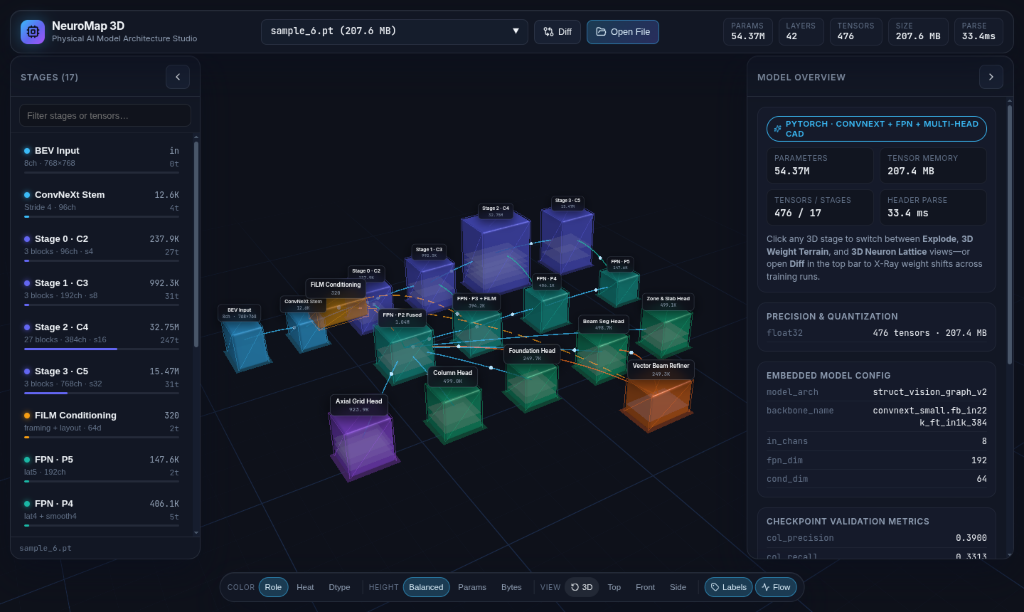
I wanted something different: a fast, browser-based 3D visual studio that reads physical AI model files directly from disk and turns their layers, weights, and connections into an interactive 3D sculpture. That idea became NeuroMap 3D—now open-source on GitHub (crysanthus/llm_vu_C).
1. The Trick: Reading Physical Model Files With Zero PyTorch Bloat
Instead of pulling a multi-gigabyte PyTorch runtime just to inspect files, NeuroMap 3D reads physical model headers directly in pure Python + NumPy:
- PyTorch (
.pt/.pth): Uses a safe, restricted ZIP + pickle header reader—mapping hundreds of tensors and embedded training metrics in ~10–30 ms without executing arbitrary pickle code or loading weights into RAM. - GGUF (
.gguf) & Safetensors (.safetensors): Reads binary/JSON headers directly via file seek and only streams a single tensor's byte slice on demand when you click it.
2. Beyond Static Boxes: Four Ways to Explore a Model
Drawing 50 million individual weights as lines melts any GPU. Instead, NeuroMap 3D uses semantic level-of-detail powered by React Three Fiber:
- Architecture-Aware 3D Map: Automatically lays out Vision+FPN pyramids, Graph Transformers, GGUF Transformer spines, and LoRA adapters with animated dataflow pulses.
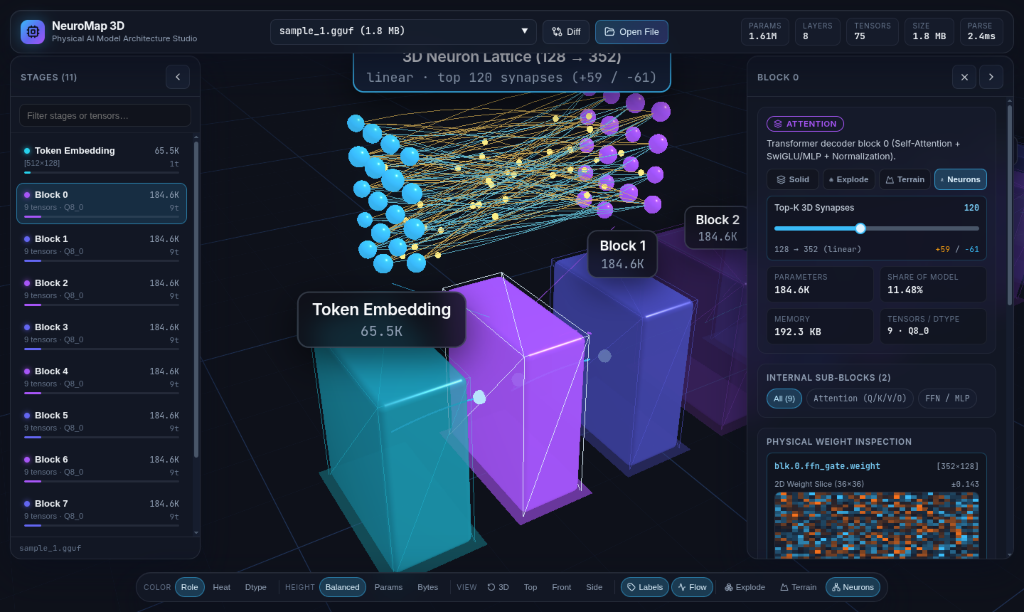
- 3D Weight Terrain: Projects a displaced 3D relief surface and 2D heatmap + histogram directly above any clicked layer.
- 3D Neuron & Synapse Lattice: Renders volumetric input/output neuron planes linked by top-K excitatory (amber) and inhibitory (cyan) synapses with a live density slider.
- 3D Checkpoint Diff X-Ray: Compares two checkpoints tensor-by-tensor so frozen backbone layers stay cool teal while heavily fine-tuned heads glow hot crimson.
3. Try It in 60 Seconds With Docker
The repository ships with three compact sample models (.gguf and paired .pt checkpoints for instant Diff X-Ray) and a ready-to-run Docker Compose stack:
cd llm_vu_C
docker compose up -d --build
Then open http://localhost:5173 and drop in your own .pt, .gguf, or .safetensors files.

